Title here
Summary here
The Open Component Model (OCM) helps you securely deliver and deploy your software.
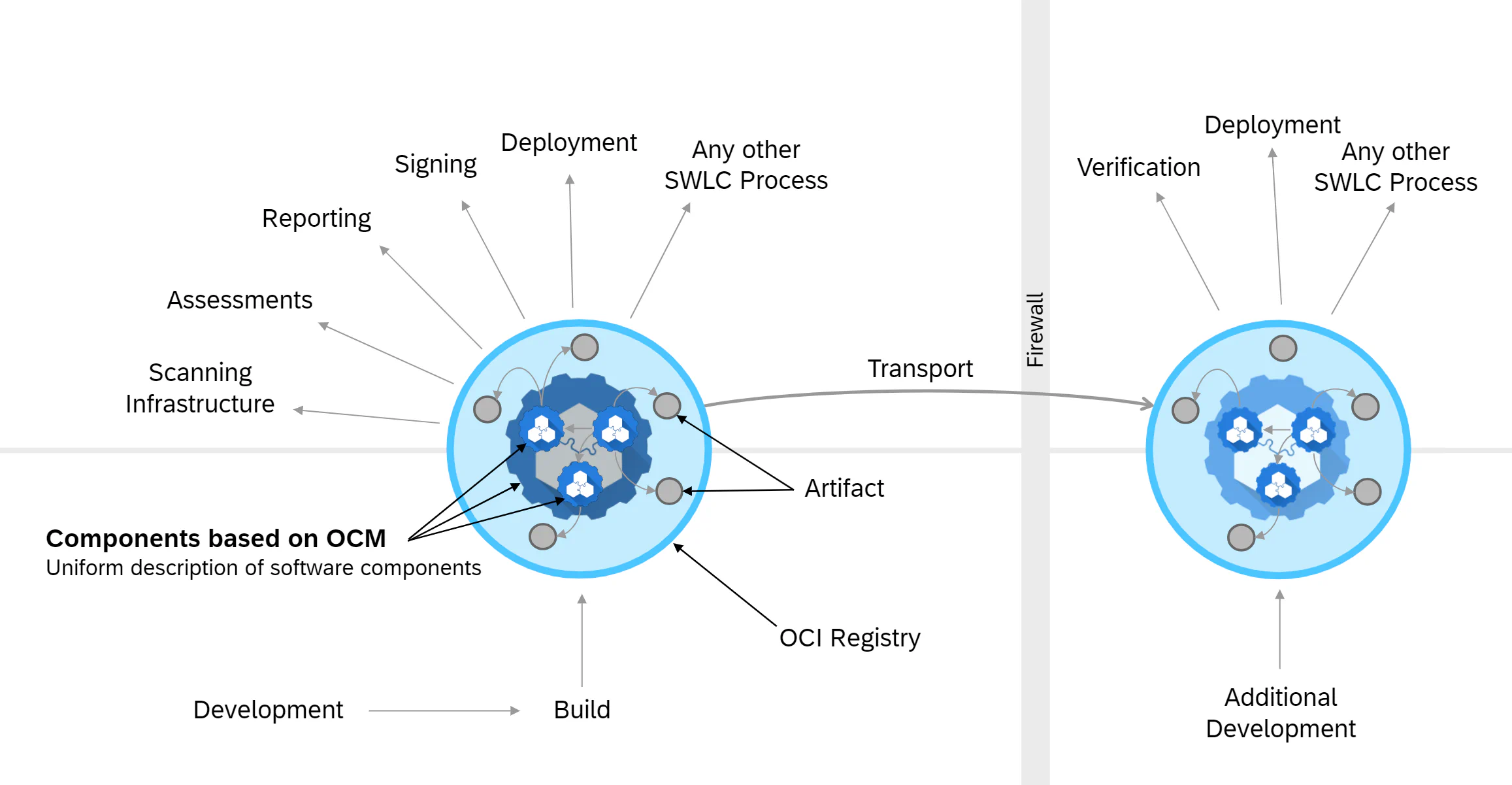
OCM components are the building blocks of OCM. They represent the artifacts of your delivery.
To create a component version, you need two things – a component descriptor file and an OCM repository.
The component descriptor file is a YAML file that contains the following information:
After you have created a component descriptor file, you can use the OCM CLI to add a component version to an OCM repository.
OCM repositories are the home of OCM components. An OCM repository can be a repository in an Open Container Initiative (OCI) registry or a Common Transport Format (CTF) archive.
Once your component version is stored in an OCM repository, you can:
Both the OCM CLI and OCM controllers support a plugin system for extensibility:
| Tool | Plugin Usage |
|---|---|
| CLI | Custom commands, repository types, input methods |
| Controllers | Custom repository backends, credential providers |